Someone could be using a SIM card registered in your name to cheat other people, and you would never know unless you check.
In short
- The government’s Sanchar Saathi portal (sancharsaathi.gov.in) and app show the mobile connections issued in your name.
- Log in with your mobile number and an OTP.
- Mark numbers as “Not my number” or “Not required” and report them.
- It is free. Type the address yourself; copycat sites exist.
Got a strange SMS that claims to be from your telecom operator or bank, asking you to “update KYC” or “re-verify your SIM”? Paste it into the free ScamRead checker for a quick second opinion.
In this post
- Why you should check
- How to check, step by step
- “Not my number” vs “Not required”
- What happens after you report
- Other free Sanchar Saathi tools
- What to do
Why you should check
Fraudsters often use SIM cards taken out in other people’s names, sometimes with copied ID documents. If a scam call comes from a number in your name, it can be traced back to you.
People are finding these numbers. A government document from December 2025 says more than 1.43 crore mobile connections were disconnected after citizens marked them “Not my number” on Sanchar Saathi.
Getting a SIM by fraud, cheating or pretending to be someone else is a crime under Section 42(3)(e) of the Telecommunications Act, 2023. It can mean up to 3 years in jail, a fine of up to Rs 50 lakh, or both.
How to check, step by step
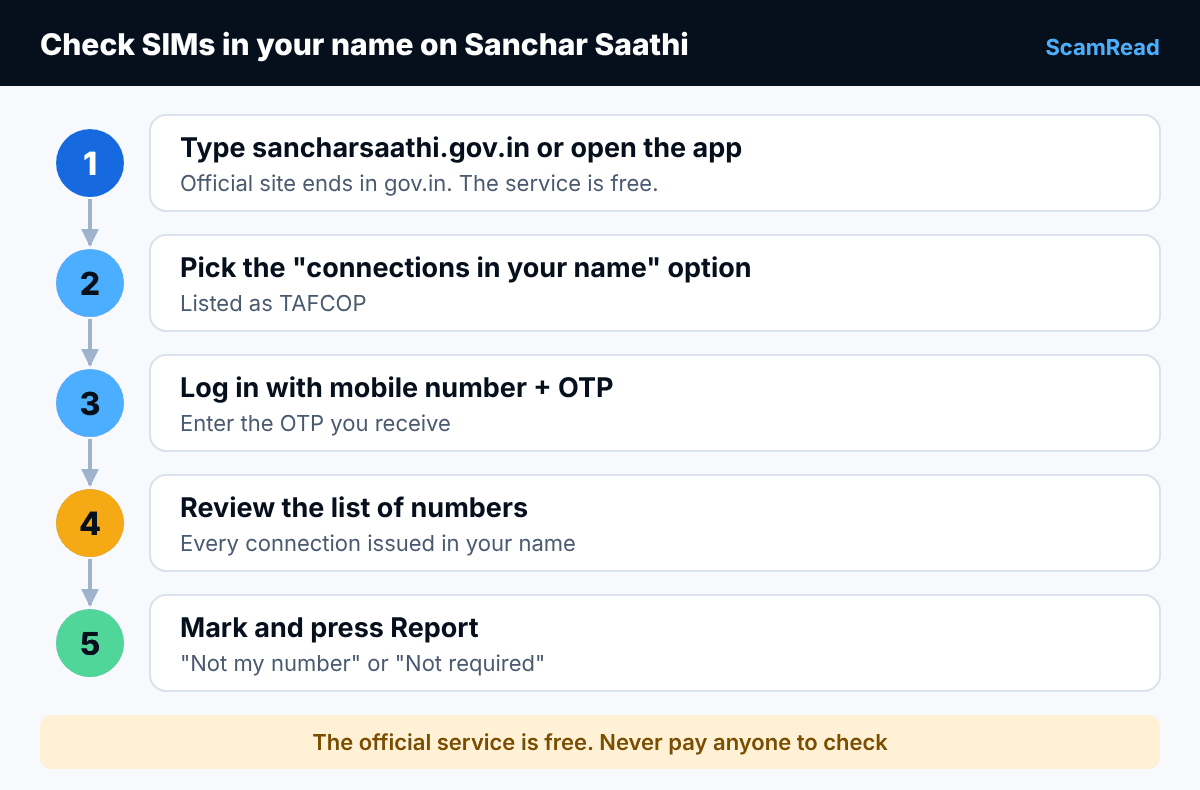
- Open your browser and type sancharsaathi.gov.in, or install the official Sanchar Saathi app from the Play Store or App Store.
- Choose the option to know the mobile connections in your name (listed as TAFCOP).
- Enter your mobile number, then the OTP you receive.
- You will see the mobile numbers issued in your name. Go through each one.
- Select the numbers you do not recognise or no longer use, choose the reason, and press Report.
Example: Anil Example has two SIMs: 98XXX XXX01 and 98XXX XXX02. The list shows a third number, 70XXX XXX99, that he has never seen. He marks it “This is not my number” and reports it.
Watch out for copycat sites. Some unofficial websites copy the look of government pages. The real one ends in gov.in. Never pay anyone to “check your SIMs”. The official service is free. See our guide on how to check if a website is a scam.
“Not my number” vs “Not required”
- This is not my number: you never took this connection. Someone may have used your ID. Report it.
- Not required: the number is yours, but you no longer use it, such as an old SIM lying in a drawer.
- Leave the numbers you use as they are.
What happens after you report
When Sanchar Saathi launched, the Department of Telecommunications said reported connections go through re-verification, and are then disconnected. Keep any reference number shown on screen so you can follow up.
If you think someone has used your ID to commit fraud, or you have lost money, also call 1930 or file at cybercrime.gov.in.
Other free Sanchar Saathi tools
- Chakshu: report suspected fraud calls, SMS or WhatsApp messages.
- CEIR: block your lost or stolen phone using its IMEI number.
- Know genuineness of your mobile handset: check if a phone’s IMEI is genuine before buying a used one.
- Report international calls with an Indian number: flag calls that show an Indian number but come from abroad.
Getting odd messages from numbers you don’t know? Read our guide to the “sorry, wrong number” text, a common opening move.
What to do
- Check your connections on Sanchar Saathi today. It takes a few minutes.
- Report any number that is not yours.
- Ask parents and older relatives to check too. Help them do it.
- Repeat the check every few months.
Report it: If you lost money or shared bank details, call the national cyber crime helpline 1930 straight away, or file a complaint at cybercrime.gov.in.
If a “SIM will be blocked” or “KYC pending” message lands on your phone, paste it into the free ScamRead checker before you tap anything.